Booking Page Templates: Quill & Rhythm
LockMyCal comes with two premium, pre-installed themes for public booking pages, optimized for lightning-fast loading and maximum visitor conversion.
1. Quill Theme (Minimalist Elegance)
- Character: A clean, modern interface with an emphasis on fine typography, an airy layout and smooth micro-animations.
- Suitable for: Consultants, coaches, lawyers, architects and professional advisory services.
- Key elements: A large interactive calendar month, a side panel with the organizer's profile and a clear choice of slots.
- Meeting location: When a meeting type offers several locations, the guest picks one as cards (an icon, the name, a short line and a check mark), two side by side, under the question Where shall we meet?.
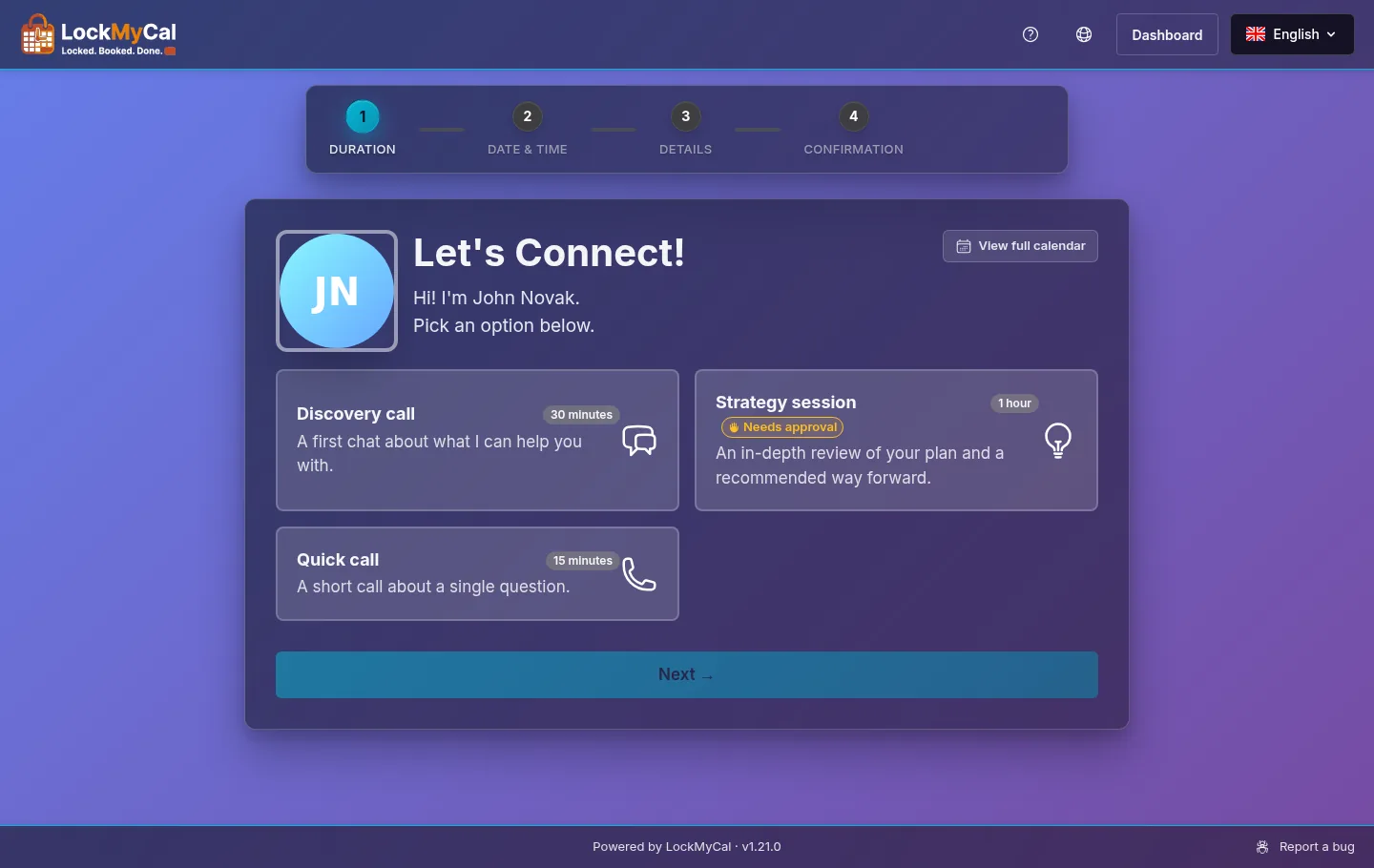
2. Rhythm Theme (Dynamic Modern Style)
- Character: A high-contrast, energetic design with structured cards and quick switching of days.
- Suitable for: Technology companies, startups, SaaS products, agencies and creative studios.
- Key elements: A horizontal day scroller, prominent time slot buttons and a simplified booking form.
3. Shared Elements of Both Themes
- The View full calendar button (a link to the public calendar) is in the top right corner of the card; on a phone it is under the intro text.
- The bot-protection notice (reCAPTCHA or Turnstile) is below the buttons Back and Book.
- The logo in the top bar links to the organiser's booking page, where the meeting types are listed; on embedded pages there is no link. If you have uploaded your own logo, it is shown instead of the LockMyCal logo.
- The top bar offers links to the documentation (question-mark icon) and to the website (globe icon) when the
WEB_HOSTvariable is set (Environment Variables); they are hidden on phones. - The footer shows “Powered by LockMyCal · v
” in the middle and a Report a bug link on the right (it leads to the website's forum, only when WEB_HOSTis set); on phones they are stacked. The footer isn't shown on embedded pages. - A required field the guest leaves empty reports an error as soon as they leave the field.
4. Switching the Theme
- In the dashboard go to the Theme section.
- In the Choose your style part pick either Quill or Rhythm.
- The change takes effect immediately on all your public booking links. You'll see the result in the live preview (requires a connected calendar).